

TL;DR
The essentials in 30 seconds
- 1 Write what you want first without AI
-
2
Use Plan Mode with
ultrathinkto break it down - 3 Keep context window under control by compacting and using subagents
- 4 Test manually
- 5 When debugging, act like a PM and provide evidence
⚡ The bottleneck is not AI's capability, it's your ability to articulate what you want.
Introduction
What is Claude Code?
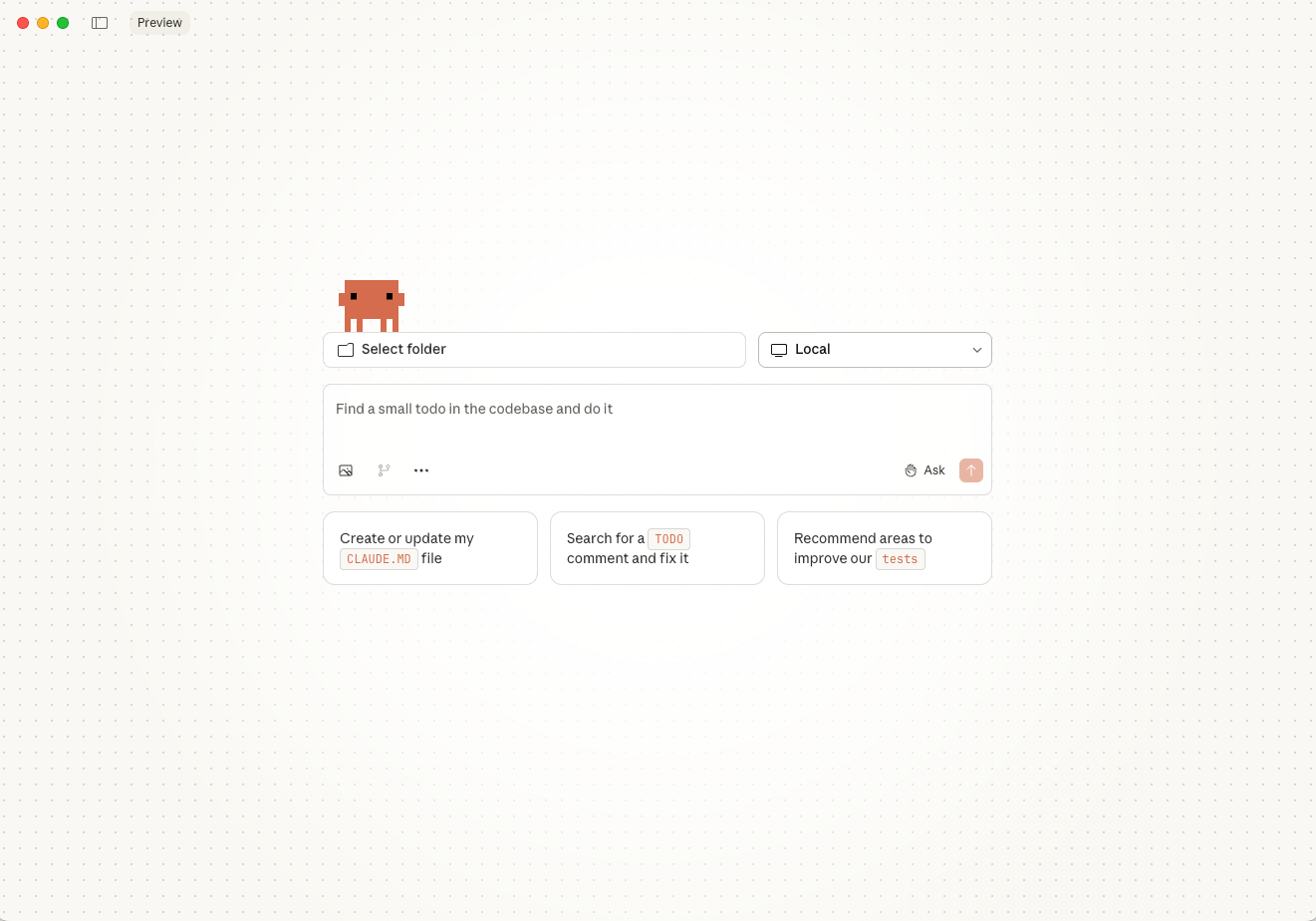
🎮 Reminds me of grinding in WoW during college... except now shipping real products instead of raiding dungeons.
Disguised as a developer tool, but it's actually a general agent that handles any computer task via code or terminal.
Create anything in the digital world as long as you know how to articulate what you want. It's the most powerful tool to build for yourself - right now.
💡 My Favorite Product of 2025 — Subscribed to Claude Max ($200/month). With Opus 4.5, building real products with backend, cloud, payment systems.
🚀 The Evolution — Last summer it wasn't as powerful. Now I can do anything I want with a longer plan.
My Background
I am a product person without a strong technical background.
Fortunately, I'm already familiar with the software development process, which means I am better positioned than most people for vibe coding.
I am a living example of how AI empowers skills.
Why Do We Have This Session/Page
This month, I'm at Ottawa's first AGI Ventures Hacker House alongside some high-agency people. I'm also excited (and grateful) to have been accepted into the first cohort.
The core: Explore a better workflow for you and me.
For Claude Code, everyone has different usage and workflows. I came up with an idea to share my workflow and trigger discussion to learn from each other.
This is how I use Claude Code currently (Tuesday, January 14, 2026). It updates rapidly.
Fun fact: Claude Cowork was written 100% by Claude Code itself

What I Do with Claude Code
As long as a task can be done on your computer, Claude Code is likely to complete it.
Build
My products


Display
Website / Slide deck
(This page is also an example!)
Write
Assignment, Report
Key Principles
Things that remain unchanged in the short term
1. Document First
Detailed Documentation
Hover to learn moreTap to learn more
Your Demands First
Articulate what you want. Most issues arise because you don't know what you want or haven't clarified your requirements.
Since I don't know the code, this is the core part to validate if AI understands my demands by reading documents.
2. Context Window
Memory Management
Hover to learn moreTap to learn more
Manage the 200K Limit
Context window = AI's memory. Opus 4.5 has 200K tokens. Performance degrades as it fills up.
• Break tasks into smaller pieces
• Implement one at a time
• Use subagents & compact manually
3. Manual Testing
Your Taste Matters
Hover to learn moreTap to learn more
The Key to Quality
Manual testing is the key to delivering better results with your taste.
It takes time, but ensures the output matches YOUR expectations, not just what AI thinks is correct.
4. Mindset
Stay Curious
Hover to learn moreTap to learn more
Keep Your Passion
Ask any questions. If AI's response has unreasonable areas, ask it to clarify.
You can say you don't know code, but you can't say you don't know the logic. Your curiosity is the key!
Pushback and investigate when something seems off:

The Context Quality Curve
⚠️ Key insight: Quality degrades non-linearly. The last 20% of context is poison.
> source: arxiv:2307.03172 — "Lost in the Middle: How Language Models Use Long Contexts"
To manage the context window:
- • Break tasks into smaller pieces
- • Implement tasks one at a time
- • Document the status
- • Use Subagent and compact manually
My Workflow
A complete walkthrough from planning to deployment
● Before Running Claude Code
Use the native build (install it with homebrew)! Much nicer syntax highlighting. This is the reply I received from Claude Code creator Boris Cherny (@bcherny).
You can also run Claude Code on Claude Desktop directly now if something doesn't work on your terminal. (P.S. Anthropic just released Cowork on January 12, 2026 for non-technical people to use Claude Code in a more user-friendly way. The raw text and polishing were handled by Claude Cowork.)
● Decision Tree
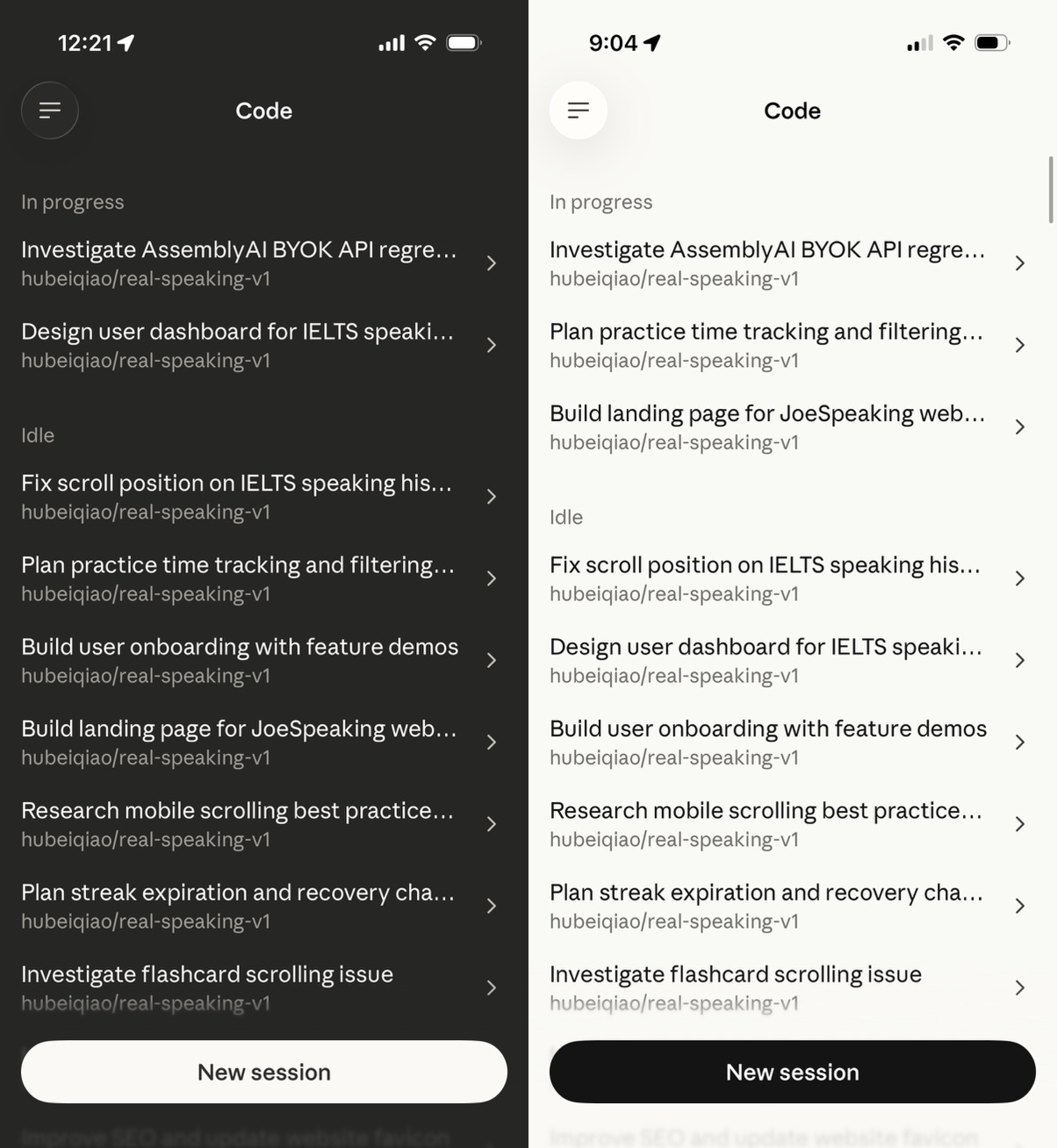
Run multiple CC Web sessions in parallel - even on your smartphone:
● Draft Plan
This is the most important phase. Spend time here to save time later.
No AI. Just Write What I Want First
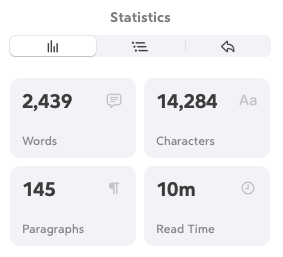
Don't worry about the grammar. Just write. Even for this sharing session, I wrote my raw thoughts first.
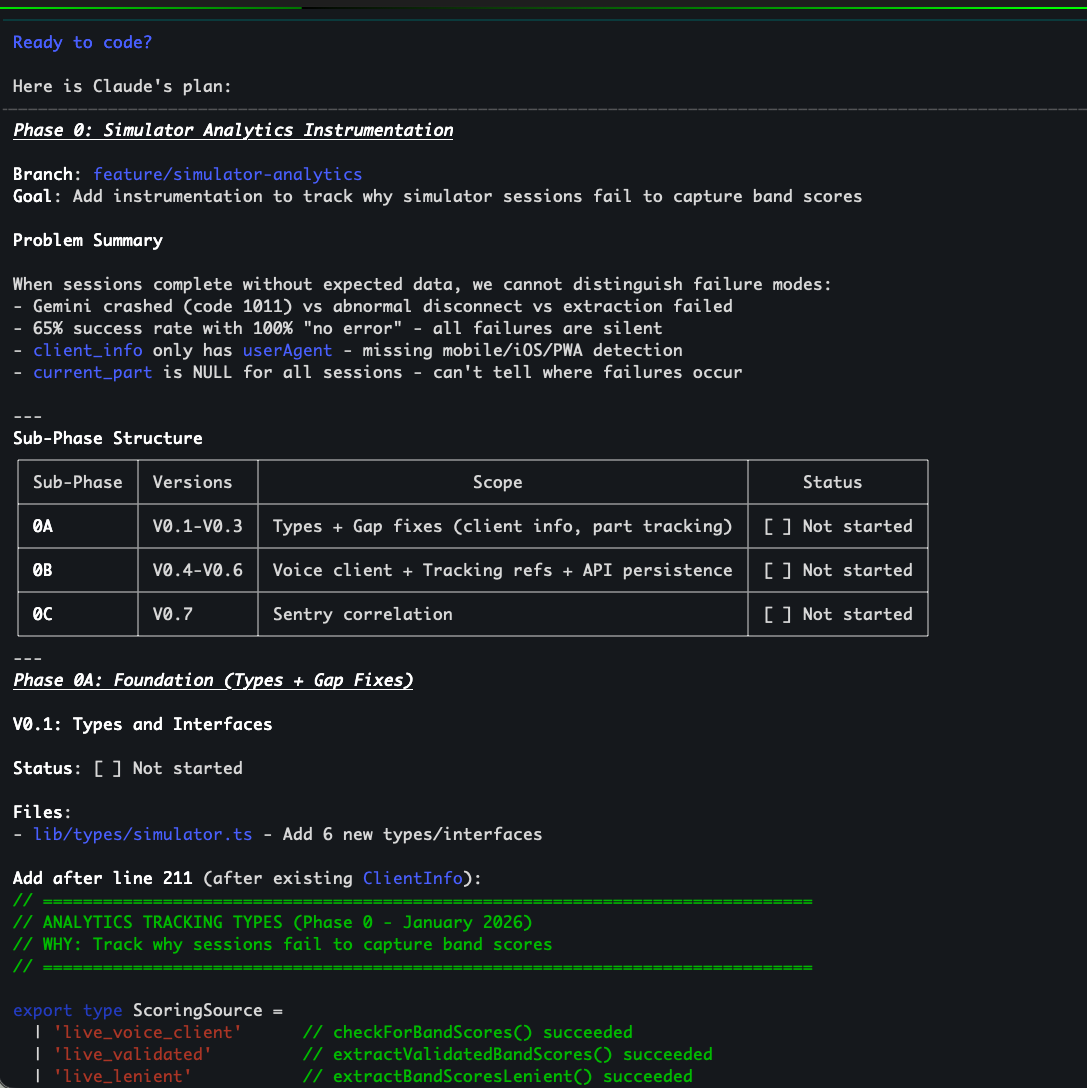
Send Raw Text to CC
Refer to other context (for example, mention the specific document like docs/PHASE_9_NEXT_STEPS.md) to Claude Code, start with Plan mode and add ultrathink.
Generally, CC will ask you some questions to clarify. You answer and will get version 1 of the document.
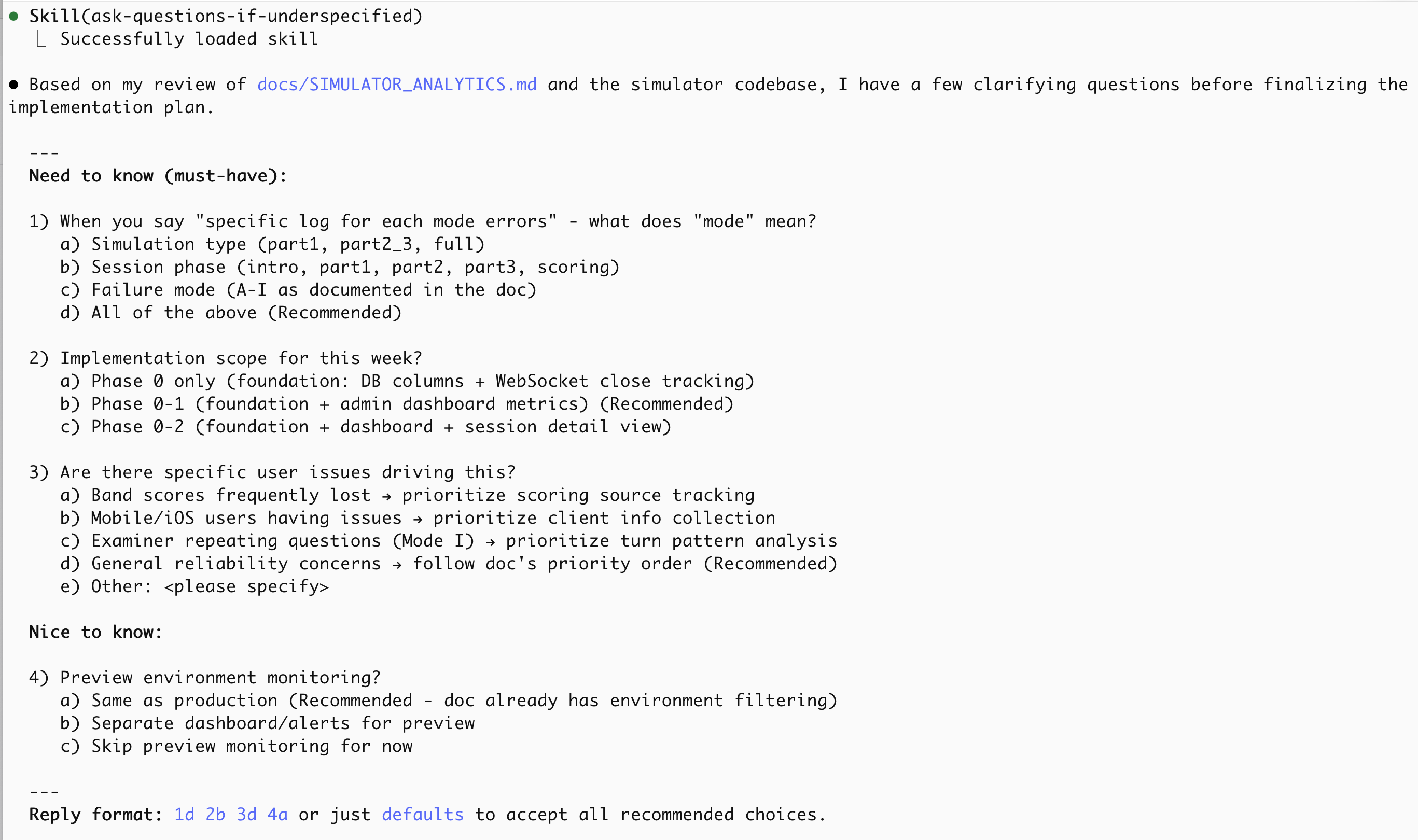
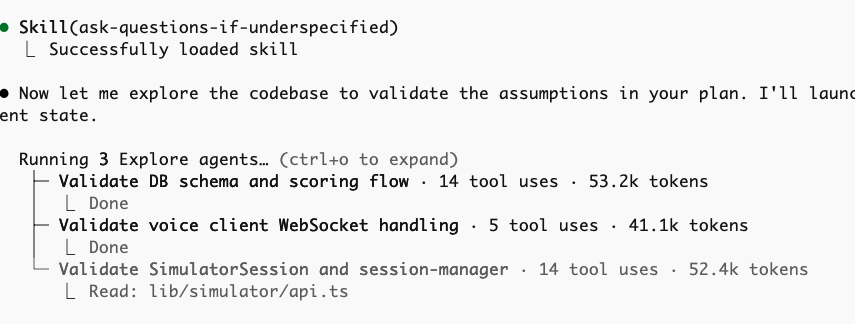
Use "ask-questions-if-underspecified"
Always add: "If you have any questions, use 'ask-questions-if-underspecified' to ask me questions."
If I don't know the answers to some questions, I usually type "follow the best practice".
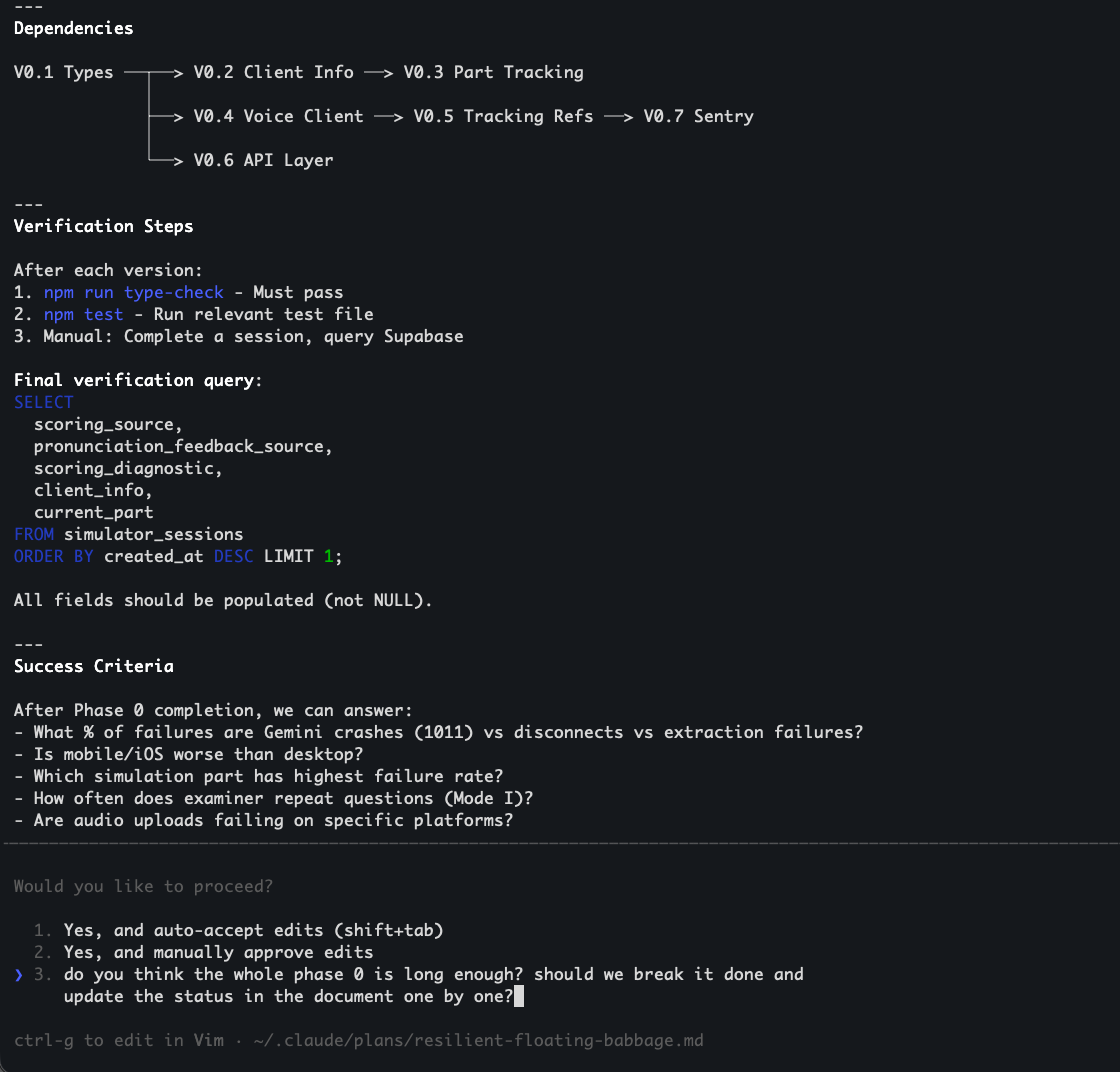
Read the Document Carefully
If you have any questions, send the feedback to CC. Back and forth.
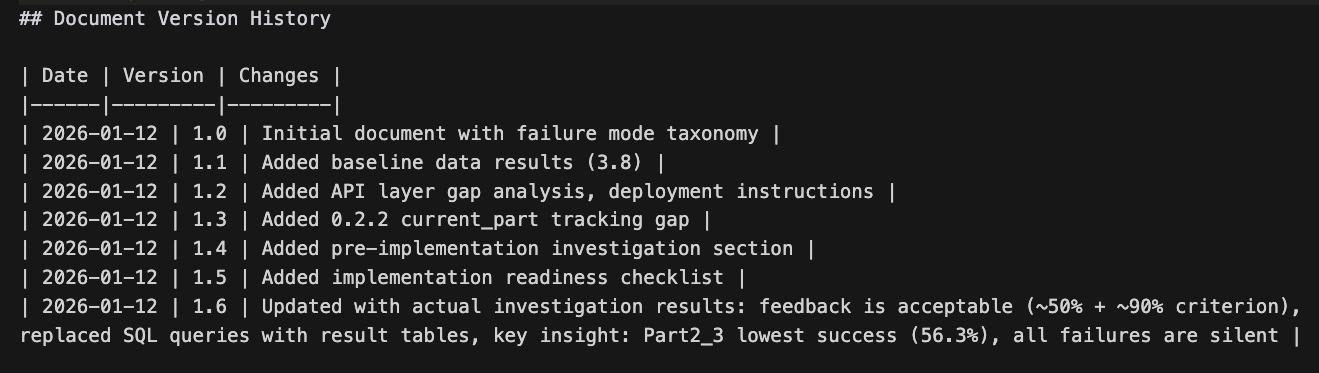
For Big Projects, Clear Context and Review Again
If this is a big project or crucial feature, I will clear the context window and send the draft document to CC again to allow it to review it. I usually have 3 rounds.
I will also let CC break it down into different phases. I will have another specific document for each phase. For each phase, break it down into small tasks that can be verified at each step.
This usually takes several hours per phase document. This is absolutely worthwhile. It's better than dealing with future revisions later.
Allow CC to Check Status Before Coding
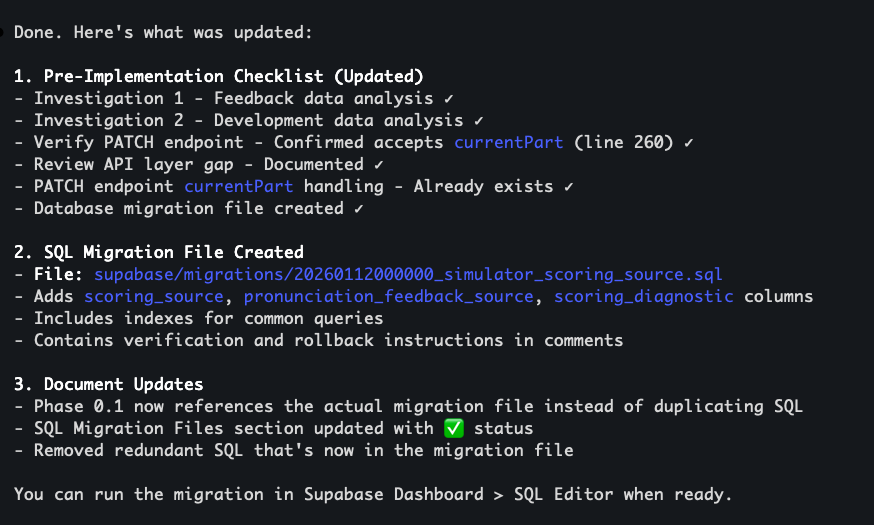
You can allow CC to check the status before coding and documenting. This will allow CC to check and verify the code itself (the actual status) to enhance the documentation.
Allow AI to Draft the Plan Visually
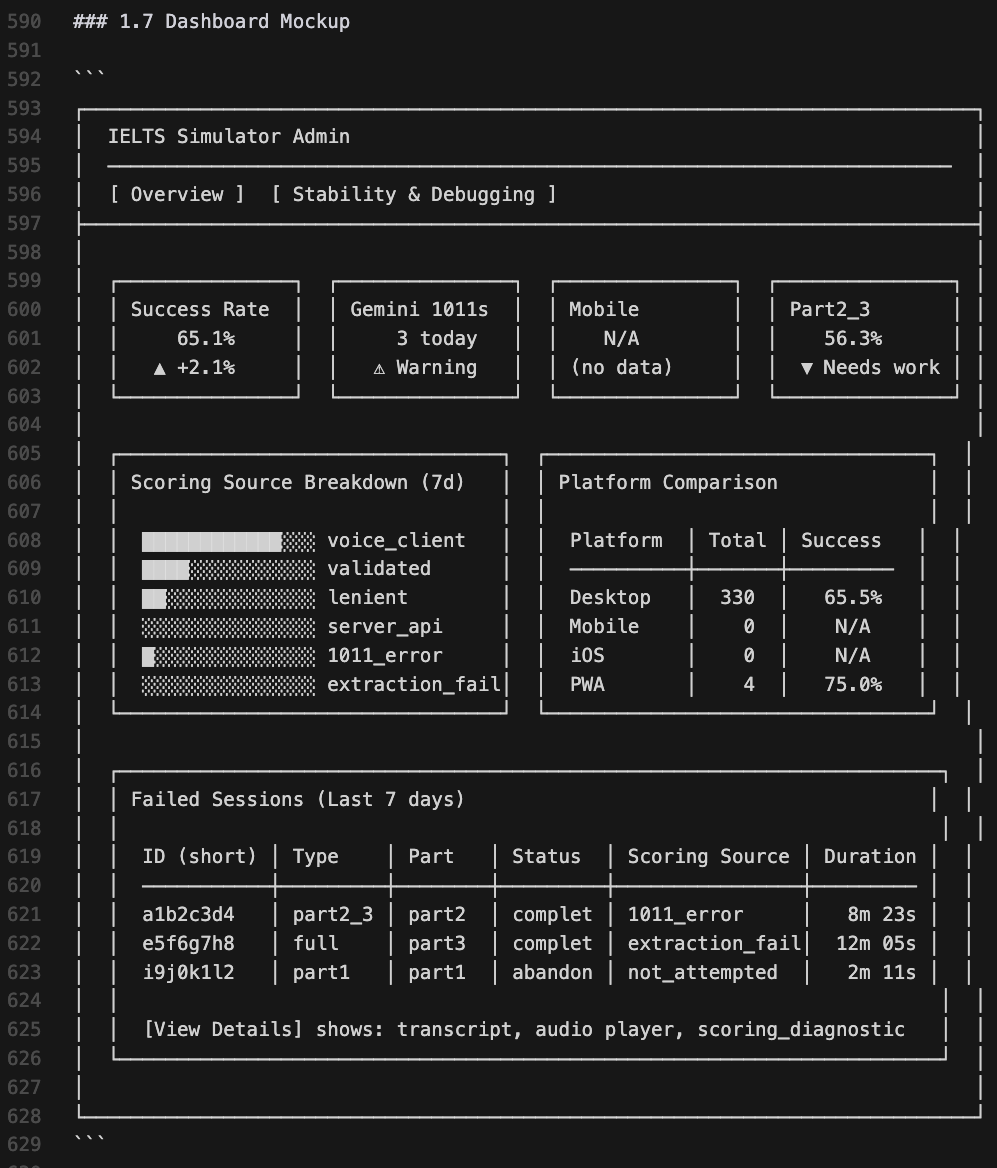
Allow AI to draft the plan visually with diagrams and even UI prototype with elements. This shows you more directly what you want and allows you to change it before coding.
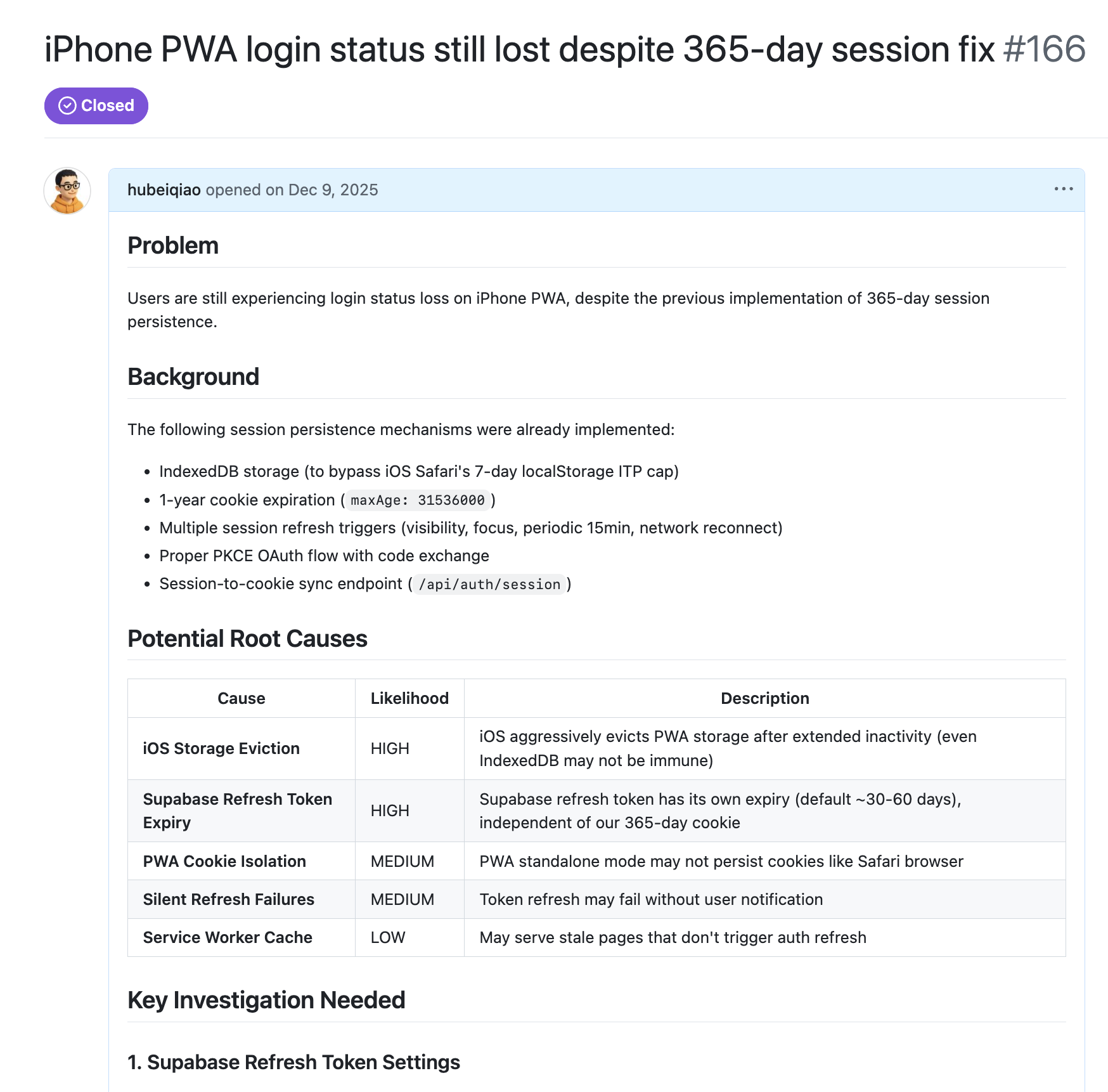
For Bug/Issue, Investigate First. Don't Code.
If it is a bug/issue, let CC write an issue and investigate/reproduce it first. Don't code.
💡 Tips for Planning
-
▸Shift + Tab switches to Plan Mode. The benefit is that it will automatically launch subagent to search for information (save the context window) and write a plan and seek your feedback first.
-
▸
Add
ultrathinkif it's a huge and complex task
● Execution
I'd suggest learning some basic git, CLI, and version control knowledge to help you feel more confident. Return to the fundamentals.
1. Start with Plan Mode Again
Once I have a plan, I will clear the context window and start with plan mode again to implement it. In my main product, I always open a new branch to add new features and debug.

2. If Something Broken, Escape Escape (Rewind)
If something is broken, press Escape twice (Rewind) to pick the restore point.
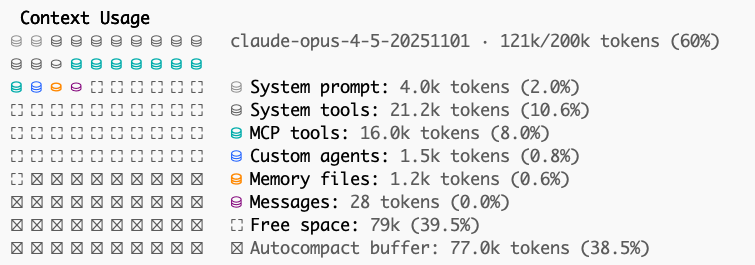
3. Run /context to Monitor Context Window
Run /context or install some plugins to understand the current context window consumption.
4. Compact Context Window
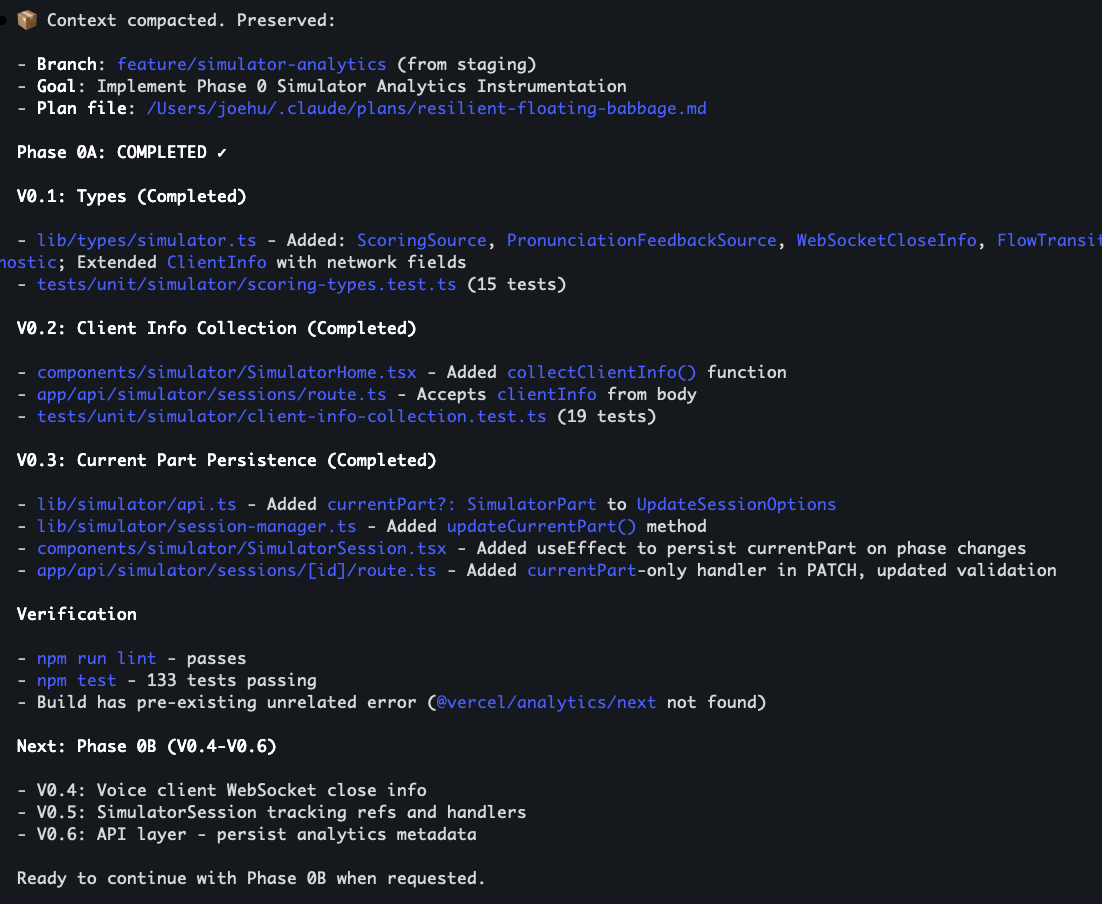
While people recommend compacting the context window manually, for my convenience, I still use auto-compact. But I will manually compact it when I see this information.
I will run /smart-compact first to show me the preserved information and then run /compact to compact it.
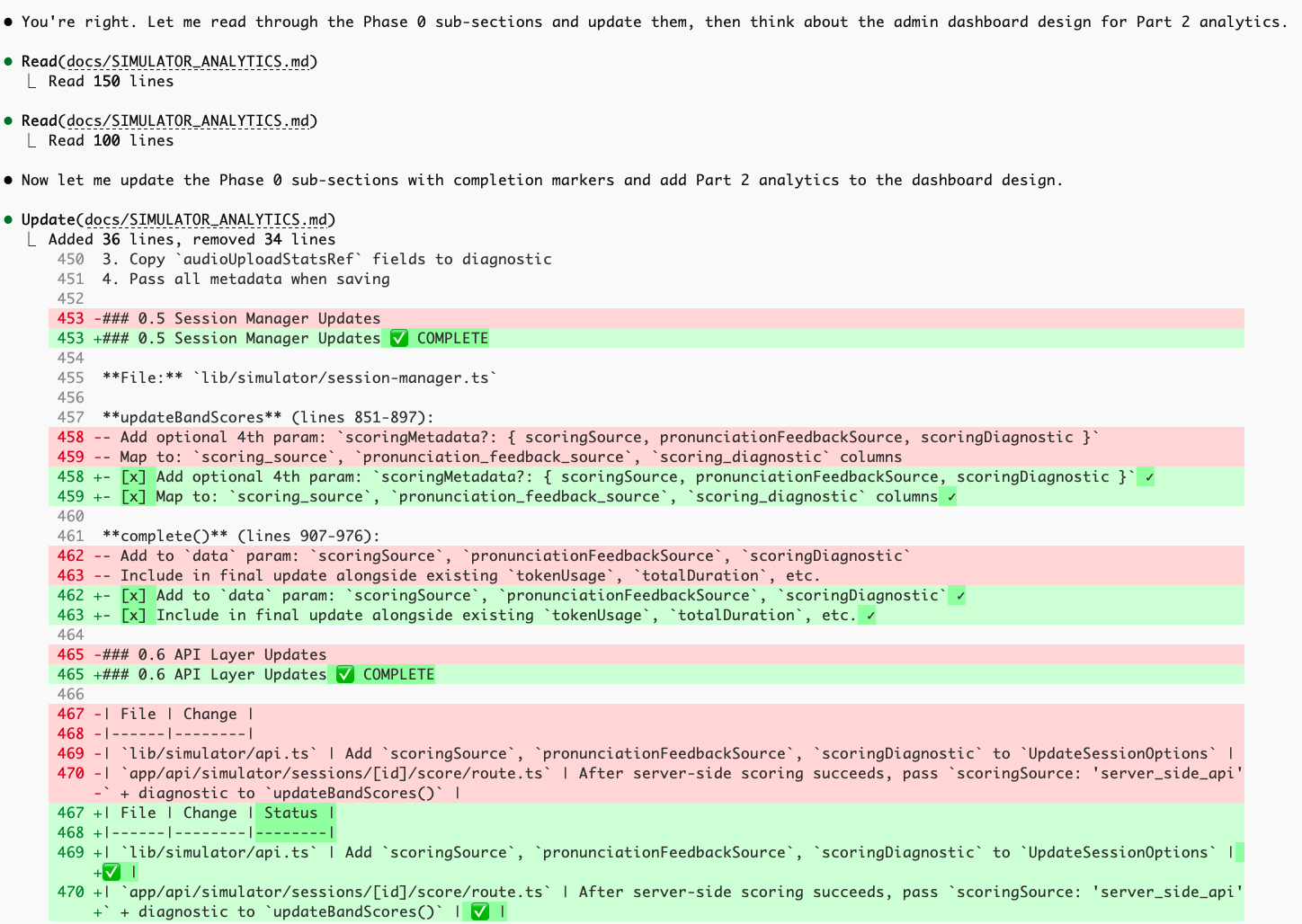
5. Update Documents After Execution
After the execution, allow CC to update documents to keep the documentation consistent.
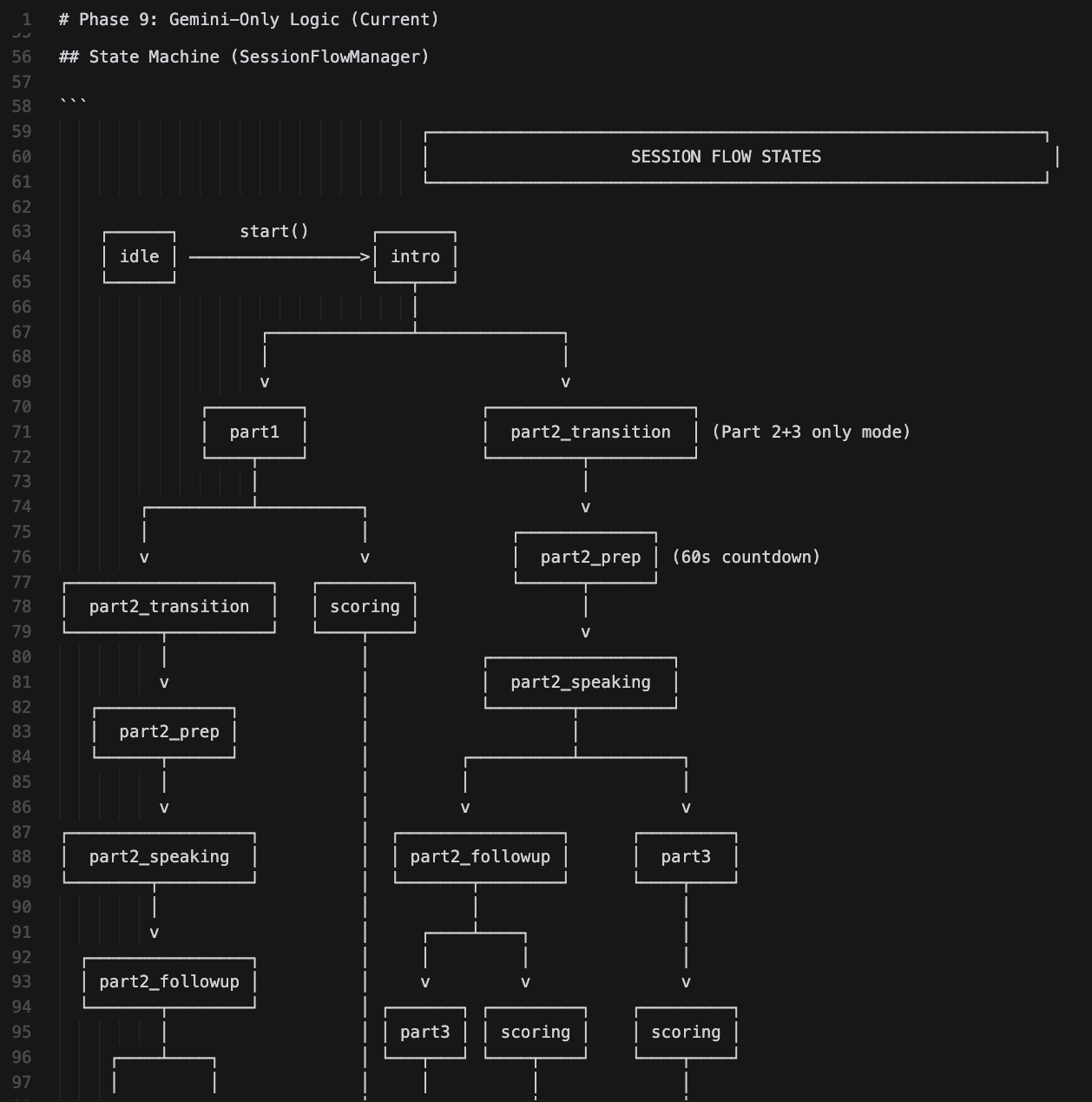
6. Visualize the Logic
To help you understand the code better, tell CC to write a document to list and visualize the logic. You may not know the code but you should know the logic and control it.
About CLAUDE.md
CLAUDE.md is the document that allows CC to read each time. I didn't write CLAUDE.md from scratch. I copied from others and talked with AI to keep it simple.
● Test and Deploy
Manual Test
Manually test to make sure it matches my requirements. Cover the core workflow at minimum.
Code Review
Claude Code/Codex will review and send feedback. Evaluate feedback before implementing.
Run /pre-flight
Use /pre-flight to review code, add comments, write tests.

(2000+ tests - how to run faster?)
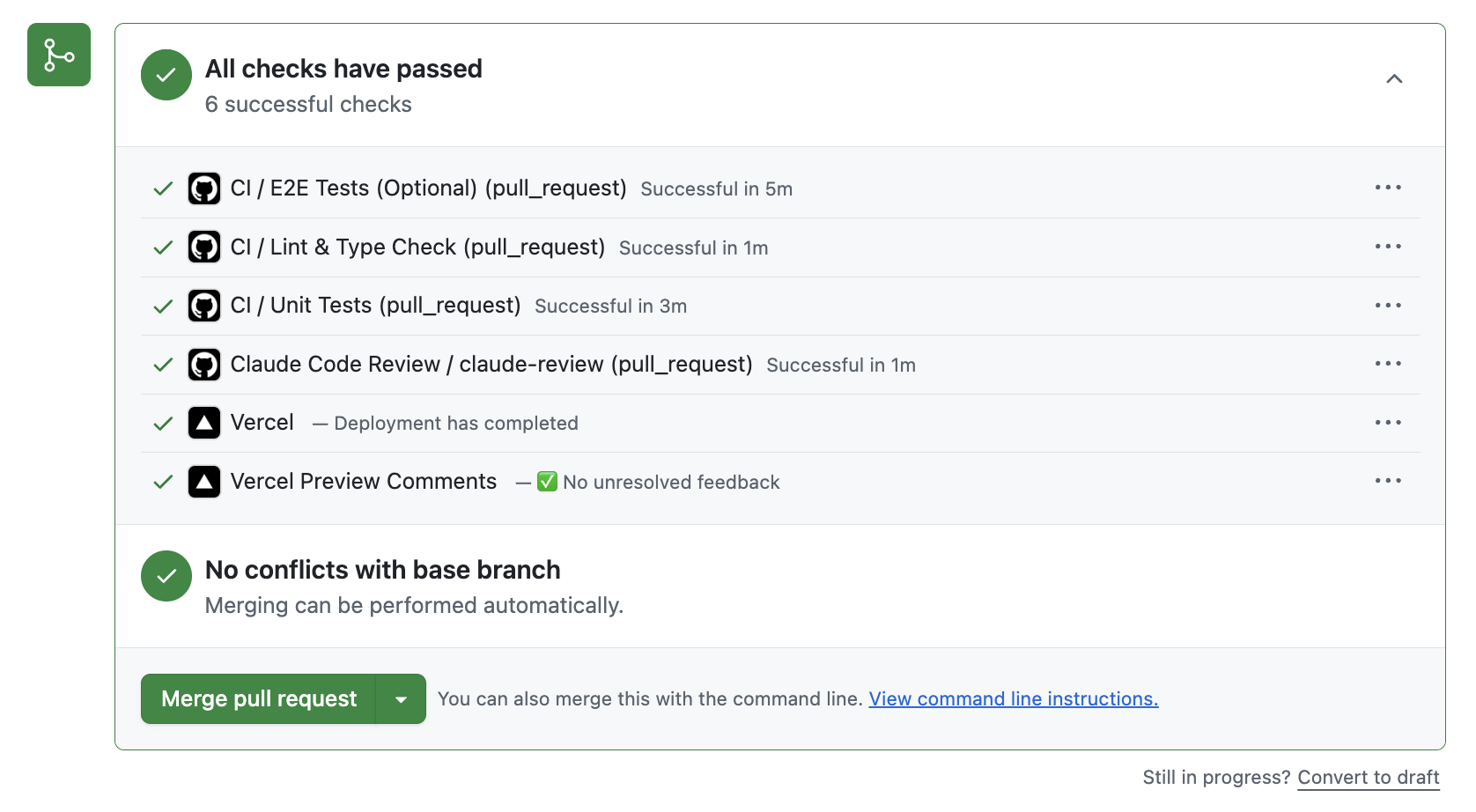
GitHub PR, Issue, CI
Learn the GitHub workflow. I didn't know what a PR was 3 months ago!
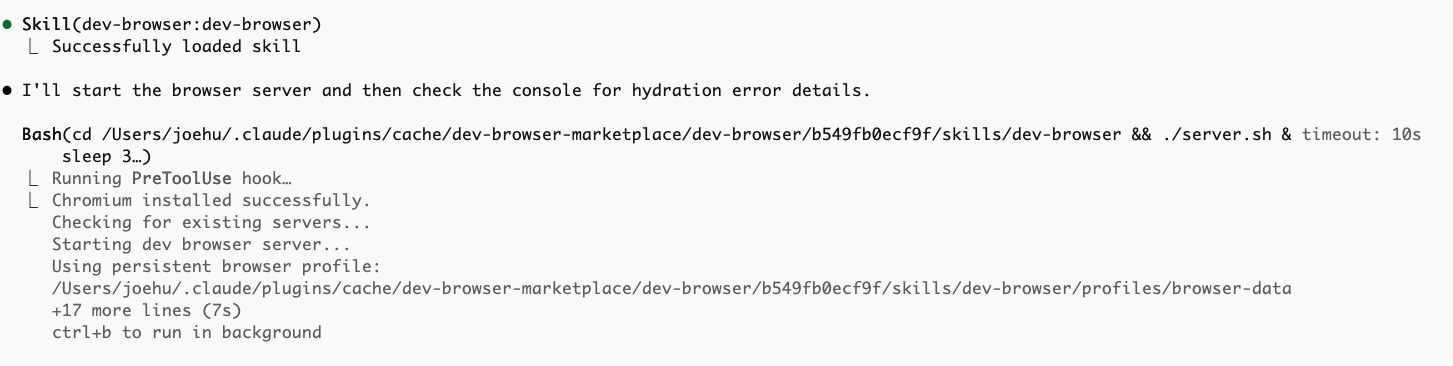
Browser Tools
Use MCP or Vercel Agent Browser for UI validation.
Deploy
Sequential deployment flow below.
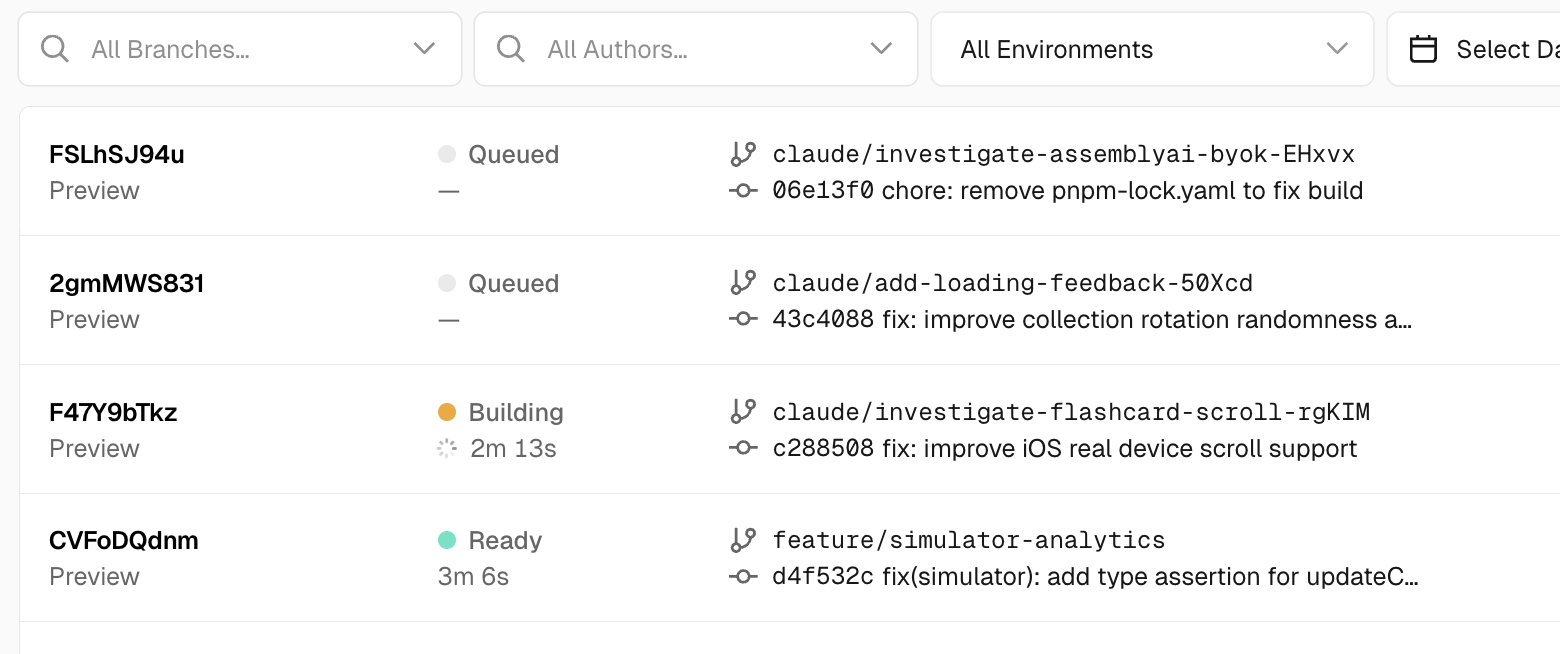
Deployment Flow (Sequential)
💡 For commercialized product: localhost → Vercel preview → staging → main
💡 For general products: localhost → Vercel preview → main
(P.S. I just learned that if it is a commercialized product, you need to subscribe to Vercel Pro otherwise your project might be disabled. The hobby project is just for personal use.)
● Debug
Be a PM to help AI solve issues. Just like my previous work, be a PM to help R&D solve issues, provide suggestions as an outsider.
Provide Evidence
Your responsibility to provide AI with logs and behavior. Ask AI to add logs. Report bugs professionally.
Compare Commits
Have a workable node? If broken later, ask AI to check that commit to learn the pattern.
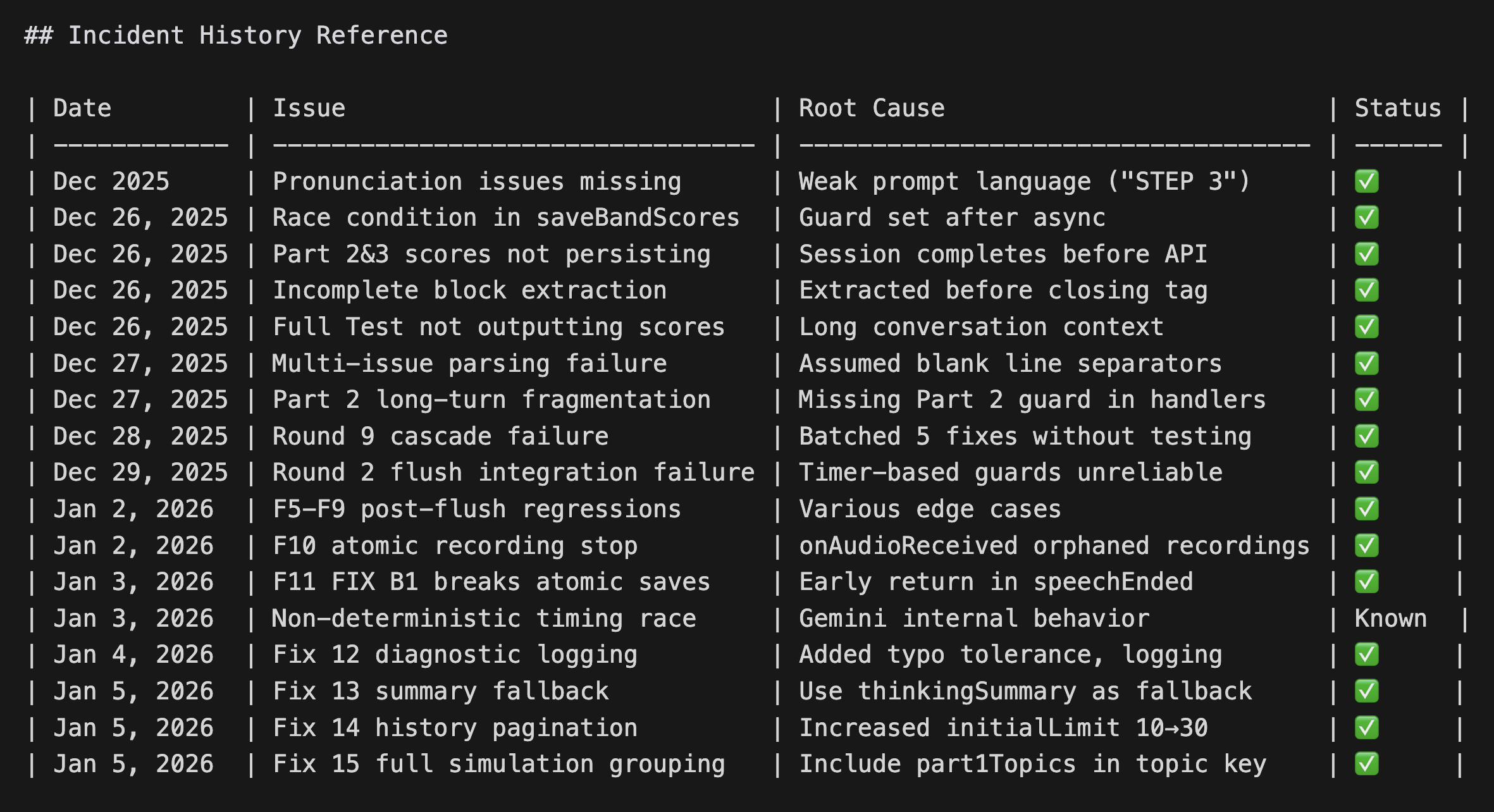
Document Issues
If AI keeps breaking features, document issues each round with reflections.
Search Online
AI stuck on same issue? Search online for similar situations.
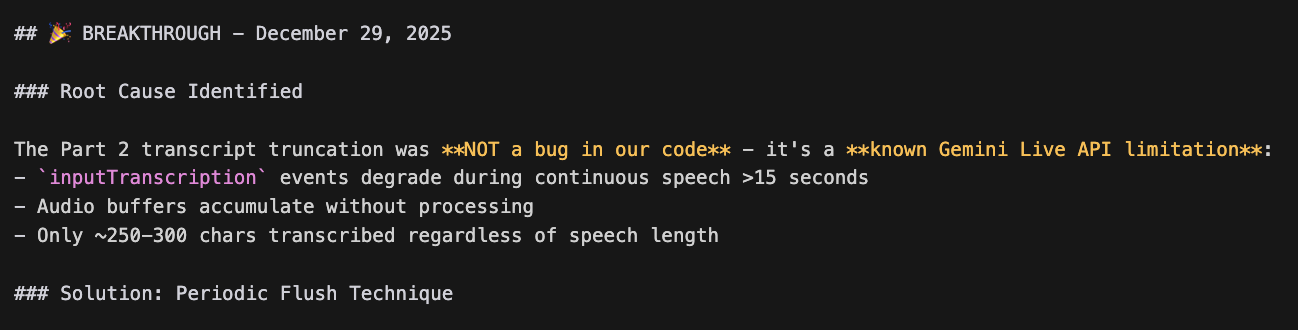
Use Other Tools
Codex or Cursor debug - feed feedback between tools. Used codex-5.2-xhigh to solve PWA issue!
Sentry & PostHog
Use for production analysis. Monitor logs for evidence when users report bugs.
Ctrl+V Screenshots
Ctrl + V to paste screenshots directly into Claude Code for visual bugs. No need to save files - just copy and paste.
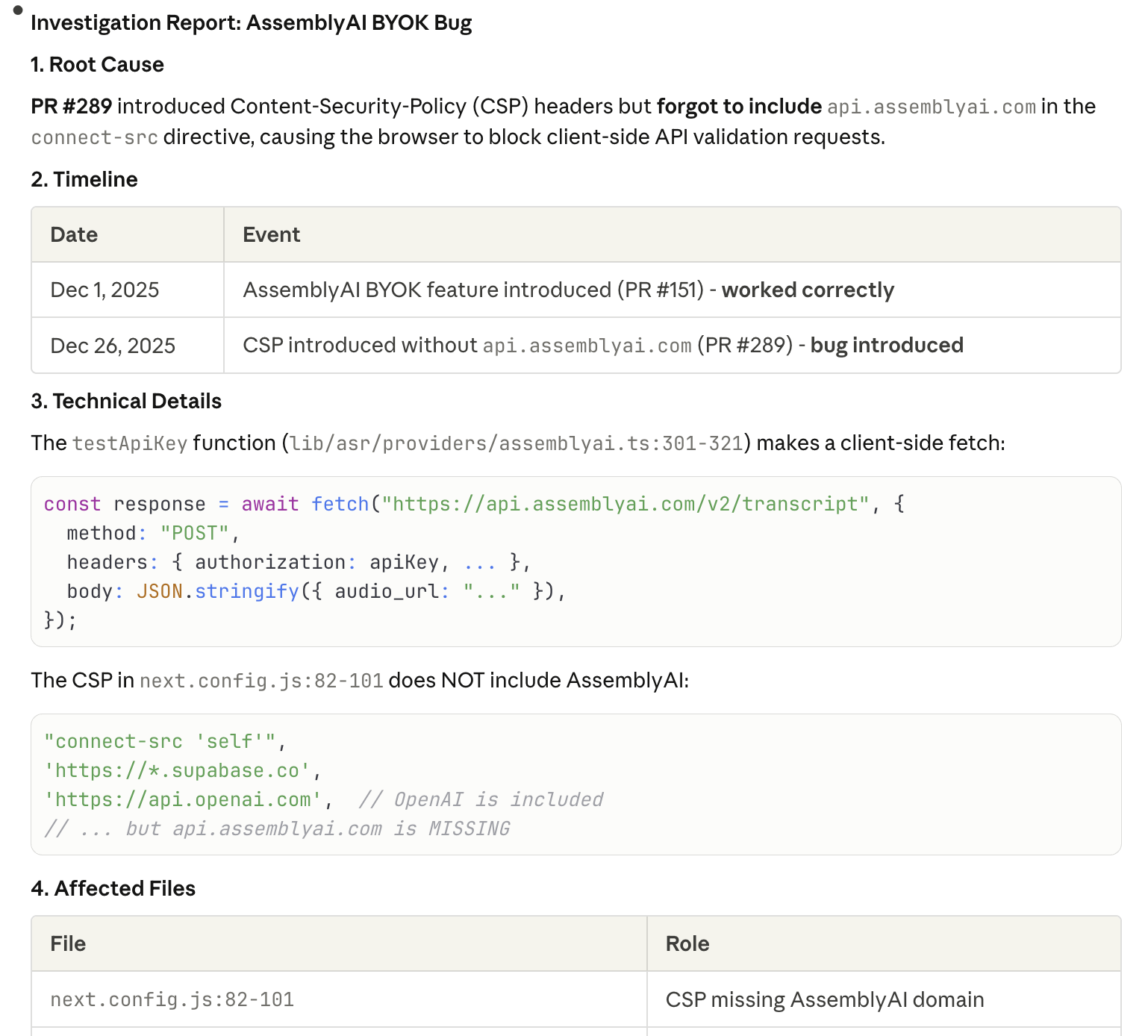
Use /investigate
/investigate one issue at a time. Get a detailed report with root cause analysis.
Tips Summary
Plan Mode
Shift+Tab to enter Plan Mode
ultrathink
Add for complex tasks
CC Web
Run multiple sessions simultaneously
Context Management
Realize context engineering
Slash Commands
/context, /compact, /clear
Custom slash commands: /investigate, /pre-flight, /smart-compact
(Full text shared in the Appendix below)
Discussion
Let's learn from each other
What is something I don't realize I don't know but I should know?
(Something I don't know how to ask about) Do you have any suggestions about my workflow?
What's your workflow? Do you have any tips you want to share?
Share your thoughts and feedback:
Discuss on XOne More Thing
99% of people don't realize Claude Code's potential.
This is the opportunity for all of us.
What does the world look like next year? Or how could my process be improved? On-demand software generation is truly approaching (while it's still a monthly timeline to build a whole application by myself now). My feeling is that the true bottleneck is myself...
Appendix: My Tool List
Custom slash commands I use daily
/context
Context Usage Details
View detailed breakdown of your context window: tokens used by system prompt, tools, agents, memory files, skills, and messages. Track free space and autocompact buffer.
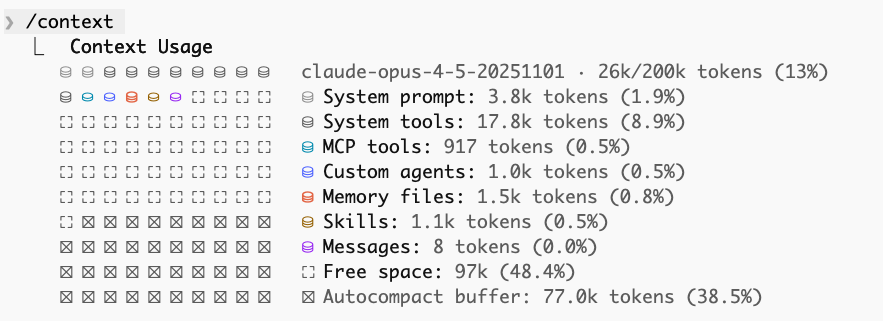
/context
Tools, Agents & Skills
Lists all available MCP tools, custom agents (project & user-level), memory files, and skills with their token usage. Useful for understanding what's loaded in your session.
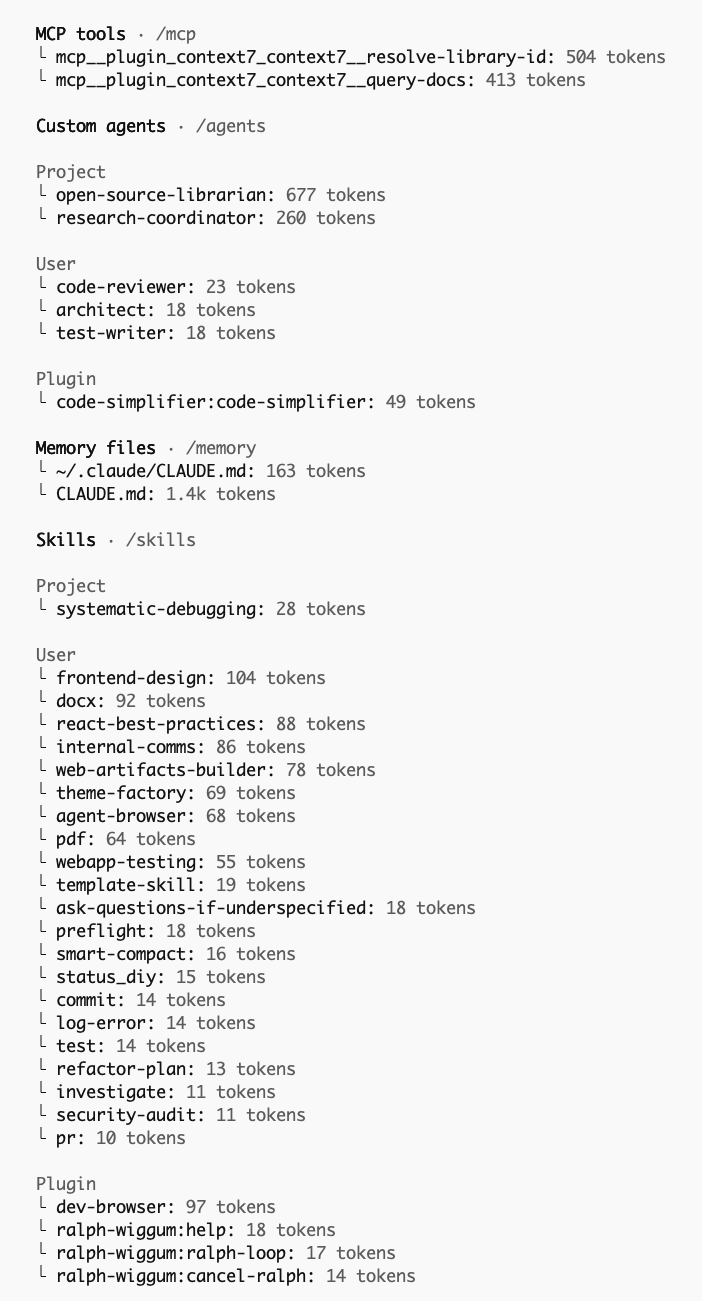
Core Commands
Essential workflows for daily use
---
description: Review code, add comments, write tests, and run quality checks
allowed-tools: Read, Write, Bash(npm test:*), Bash(npm run lint:*), Bash(npm run format:*), Bash(git:*)
argument-hint: [file-or-directory]
---

Review and test: $ARGUMENTS

## Rules:
- **NO regressions** - run `npm test` after EVERY file change
- **NO logic changes** - only add comments, never modify functional code
- If tests fail after a change -> revert immediately with `git checkout -- `

## Process:

1. **Baseline**: Run `npm test` first. If failing, STOP.

2. **Review code** for bugs, security issues, and missing error handling

3. **Add comments**:
   - Explain WHY, not what
   - Document edge cases and assumptions
   - Reference related code/docs

4. **Write tests** for new functionality (target 80% coverage)

5. **Run quality checks**:
   npm run lint && npm run format && npm test
   Revert any change that breaks tests.

6. **Update** `/tests/README.md` with new test files or testing instructions

7. **Report**: Show test results, linting summary, and files changed Planning & Clarity
Get requirements right before coding
---
name: ask-questions-if-underspecified
description: Clarify requirements before implementing.
---

# Ask Questions If Underspecified

## Goal

Ask the minimum set of clarifying questions needed to avoid wrong work; do not start implementing until the must-have questions are answered (or the user explicitly approves proceeding with stated assumptions).

## Workflow

### 1) Decide whether the request is underspecified

Treat a request as underspecified if after exploring how to perform the work, some or all of the following are not clear:
- Define the objective (what should change vs stay the same)
- Define "done" (acceptance criteria, examples, edge cases)
- Define scope (which files/components/users are in/out)
- Define constraints (compatibility, performance, style, deps, time)
- Identify environment (language/runtime versions, OS, build/test runner)
- Clarify safety/reversibility (data migration, rollout/rollback, risk)

If multiple plausible interpretations exist, assume it is underspecified.

### 2) Ask must-have questions first (keep it small)

Ask 1-5 questions in the first pass. Prefer questions that eliminate whole branches of work.

Make questions easy to answer:
- Optimize for scannability (short, numbered questions; avoid paragraphs)
- Offer multiple-choice options when possible
- Suggest reasonable defaults when appropriate (mark them clearly as the default/recommended choice)
- Include a fast-path response (e.g., reply `defaults` to accept all recommended/default choices)
- Include a low-friction "not sure" option when helpful
- Separate "Need to know" from "Nice to know" if that reduces friction

### 3) Pause before acting

Until must-have answers arrive:
- Do not run commands, edit files, or produce a detailed plan that depends on unknowns
- Do perform a clearly labeled, low-risk discovery step only if it does not commit you to a direction

### 4) Confirm interpretation, then proceed

Once you have answers, restate the requirements in 1-3 sentences, then start work.---
description: Compact context with explicit preservation rules
---
Perform a smart compaction:
## MUST PRESERVE (never summarize away):
1. Current task/goal
2. All file paths mentioned in last 10 messages
3. Any explicit decisions or constraints I stated
4. Error messages and their solutions
5. The current plan/checklist if one exists
## CAN SUMMARIZE:
1. Exploration that led to dead ends
2. Verbose output from commands (keep just the conclusion)
3. File contents that haven't been modified
4. General discussion that led to decisions (keep just decisions)
## FORMAT:
After compaction, start your next message with:
📦 Context compacted. Preserved:
- [key item 1]
- [key item 2]
- [current goal]
Now perform /compact with these rules in mind.Debugging
Systematic investigation for tricky bugs
---
description: Deep dive into a bug or behavior
allowed-tools: Read, Grep, Glob, Bash(git log:*), Bash(git blame:*)
argument-hint: [issue-description]
---

Investigate: $ARGUMENTS

Follow this systematic process:

## Phase 1: Understand
- What is the expected behavior?
- What is the actual behavior?
- When did this start? (check git log if relevant)

## Phase 2: Locate
- Search for relevant code with Grep
- Trace the code path from entry point
- Identify all files involved

## Phase 3: Analyze
- Use git blame to understand history
- Look for recent changes that might have caused this
- Check for related issues/patterns elsewhere

## Phase 4: Report
Provide a structured report:
1. **Root Cause**: [one sentence]
2. **Affected Files**: [list]
3. **Recommended Fix**: [approach]
4. **Risk Assessment**: [what could break]
5. **Test Plan**: [how to verify]

Do NOT make any changes. Investigation only.